 Hisabify
Payments add themselves
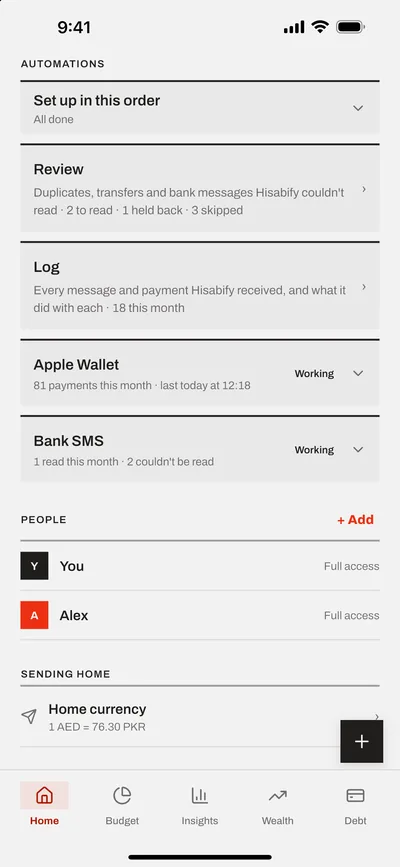
An Apple Wallet automation sends each Apple Pay payment to Hisabify as you tap, and Hisabify picks the category. A card it hasn't seen before is added for you.
Hisabify keeps what your household spends, owes, owns, saves and sends home in one place, for everyone who shares it. Apple Pay payments add themselves, bank messages are read for you, and nothing is counted twice.


In a household, money moves through several people, a few cards, a bank account or two and a transfer home. Hisabify puts it back together, without you typing it all in.
An Apple Wallet automation sends each Apple Pay payment to Hisabify as you tap, and Hisabify picks the category. A card it hasn't seen before is added for you.
A Shortcut passes your bank's texts to Hisabify. Transfers home land in Sent home with the rate, and card bill payments and moves between your own accounts stay out of spending.
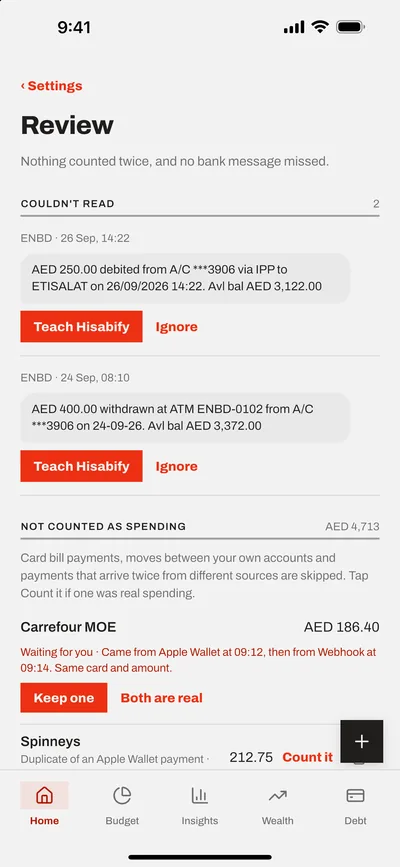
When the same payment arrives two ways, the second one waits on Home as a possible duplicate, not counted, until you choose Keep one or Both are real.
Five tabs: Home, Budget, Insights, Wealth and Debt. Sent home opens from Budget, Trackers from Insights' Reports, and Settings from Home.
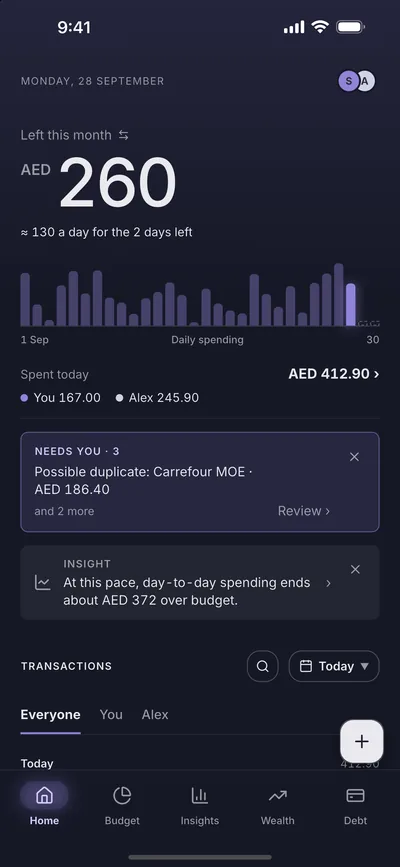
Home is about the day-to-day budget: what's left for the month and about how much a day, a bar for every day of the month, and what the household spent today and who spent it.
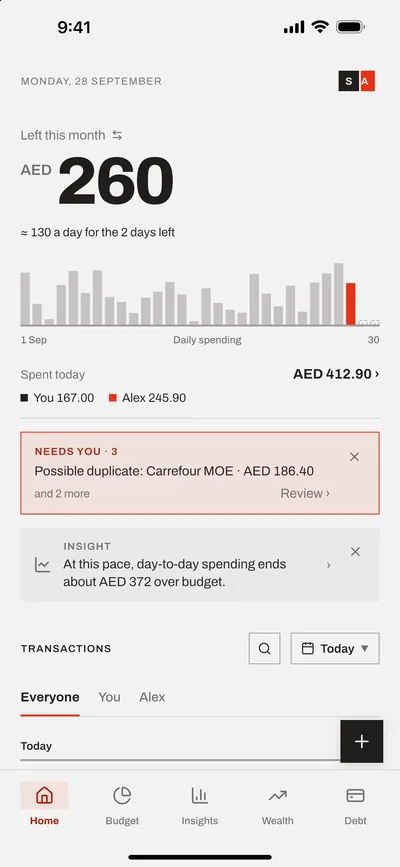
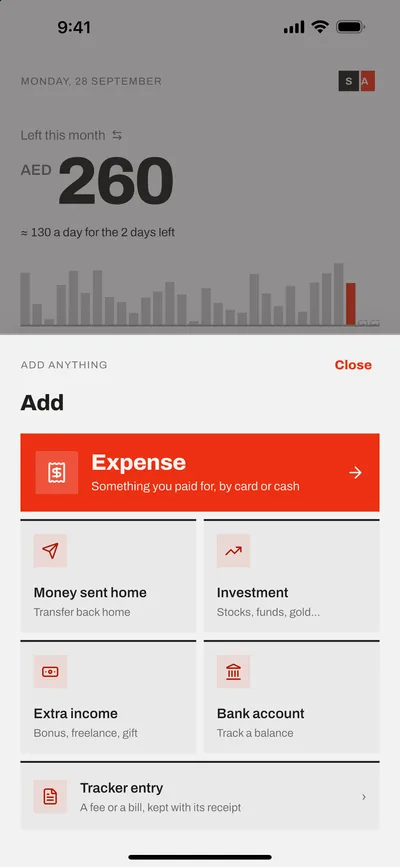
Most card payments add themselves. For everything else, the + button adds an expense, money sent home, an investment, extra income, a bank account or a tracker entry.
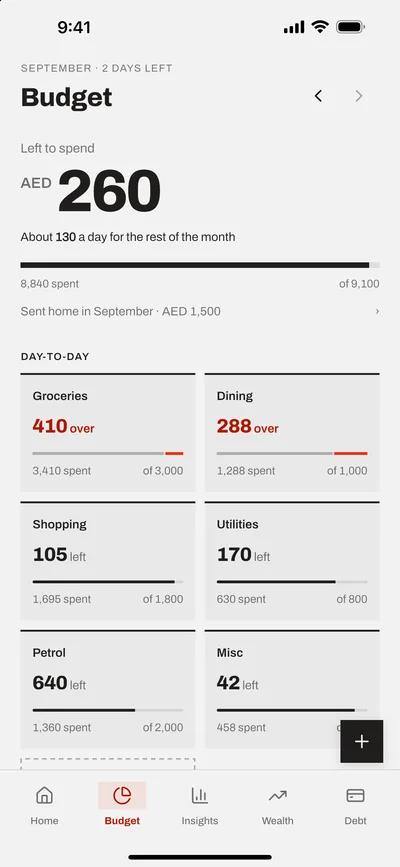
Give each day-to-day category a monthly budget and list your fixed bills. Hisabify shows what's left, and about how much that is a day for the rest of the month.
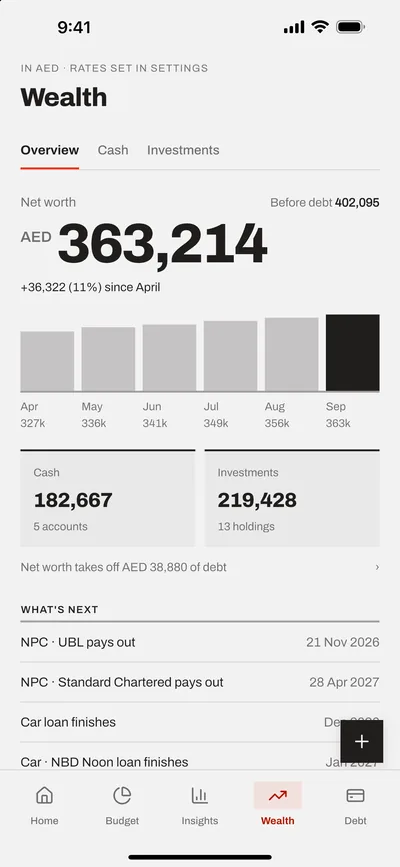
Bank accounts and investments in any currency, converted at your rates, add up to your net worth.
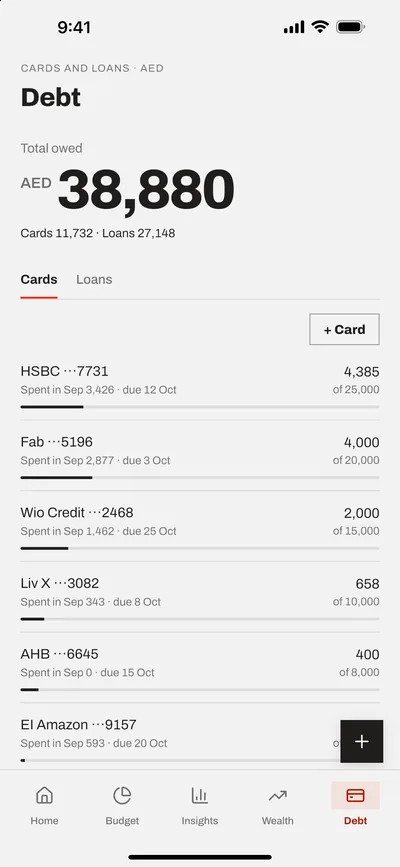
Every card with its balance, limit and due date, and every loan with the installments still to pay.
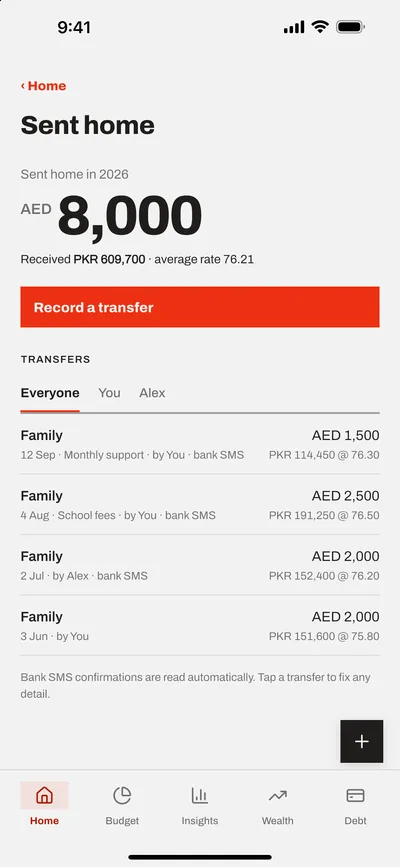
Transfers to family stay out of the budget and your spending list, on a line of their own each month. Hisabify reads your bank's confirmation and saves the dirhams sent, the rupees received and the rate.
Some payments belong on record but not in the budget: school fees, therapy, a car's repairs, medical bills. Give them a tracker, under Reports, and log each one with its receipt, a photo or a PDF.

Checks gathers what Hisabify wasn't sure about: possible duplicates, transfers that aren't spending and bank messages it couldn't read.
Two looks, one for the day and one for the night. Pick one in Settings, or let Hisabify follow your iPhone.
Shortcuts automations on your iPhone send payments to your household's private links. Each one takes about two minutes, and none of them needs your bank login.
Insights works it out from what's already in Hisabify. Step back through earlier months with the arrows.
How much of the month's income you kept, beside the three months before.
Every salary and every extra, month by month.
Where day-to-day spending will end at your current pace, against the budget.
Which categories are already running ahead of last month.
The five places you spend most at, and their share of the month's day-to-day spending.
Spending by place, card, tag or category over any dates, and the month's cash flow.
How much of your card limits you're using, and when your loans end.
How much of what you own is in each currency, and what a 5% drop would cost.
How your investments are spread across stocks, funds, gold and the rest.
Your average and best rate, and what sending at the best rate would have added.
One line on Home when something needs a look, like a month on pace to go over budget.
Share it with the people you live with, and keep it private from everyone else.
Invite people by email and choose what each one sees: everything, or only the budget or wealth.
Asks for Face ID when Hisabify opens and after five minutes away. You can turn it off.
Continue with Apple, or with a six-digit code sent to your email.
Everything adds up in AED. Add USD, PKR or any other currency at the rate you use.
Salaries every month, plus bonuses, freelance work and gifts when they come in.
Screens open straight away from the copy on your iPhone, then update. Without a signal, the last ones you opened still show.
Tag payments, like #New flat, then search the tag for its total this month, across every category.
Every payment and message that reached Hisabify, and what it did with each, kept for 90 days.
Continue with Apple or your email. Hisabify makes your household, ready for your categories, cards and accounts.
Send an invite by email and choose what each person sees. They sign in and join you.
Add the Apple Wallet and Bank SMS shortcuts once. From then on, payments add themselves.
Hisabify keeps only what it needs to run, and shows it only to the people you choose.
Hisabify never asks for your bank username or password. Payments come from Shortcuts on your own iPhone.
No ads or analytics in the app or on this site, and your data is never sold.
Only the people you invite see your money, and only the parts you choose.
Your records are stored by Google Cloud in Doha, Qatar, the region closest to the UAE.
Sign-in codes are stored only hashed, and automation links are encrypted. Reset a link any time.
Face ID guards the app, and your sign-in is kept in the iOS Keychain.
Hisabify is in testing now and is coming soon to the App Store, where it's called Hisabify. It will be free, for iPhone.
No. Hisabify never connects to your bank. Payments come from Apple Wallet and your bank's text messages, through Shortcuts automations on your own iPhone, or you add them yourself.
Emirates NBD's transfer confirmations are read as they are, and card bill payments and moves between your own accounts are recognised from any bank. For anything else, tap Teach Hisabify on a message it couldn't read. You do it once, and messages like it are read from then on.
Only the people in your household, and only the parts each of them is allowed to see. The household's owner chooses, in Settings, under People.
Yes. Everything adds up in dirhams. Add any other currency with the rate you use, and accounts, investments and payments in it are converted at that rate.
No. Hisabify is for iPhone only.
With Google Cloud in Doha, Qatar. Sign-in emails are sent by Resend. The privacy policy has the details.
Yes, in Hisabify: Settings › Account › Delete account. If you own the household, its records and receipt photos are deleted too. You can also email support@mehdiraza.app from the address you sign in with.
Hisabify is in testing now, and will be on the App Store as Hisabify. Until then, see how the automations work, or ask us anything.